Comp Room
Report parameters
|
Field |
Description |
|---|---|
|
Report Name |
The name of the report. |
|
Start Date |
The start date from when the data must be considered for generating the report. |
|
End Date |
The end date until when the data must be considered for generating the report. |
|
Building Codes |
A drop-down list consisting of all the building codes. All building records created in the Building Codes (Settings à Setup à Room à Building Codes) screen are displayed as options in the drop-down list. Users can select multiple or all the building codes from the list to be displayed in the report generated. By default, the All option will be selected. |
|
Report Options |
Available options include the following:
|
|
Show Lost Revenue |
When enabled, the system displays the lost revenue in the report. |
Sample Report
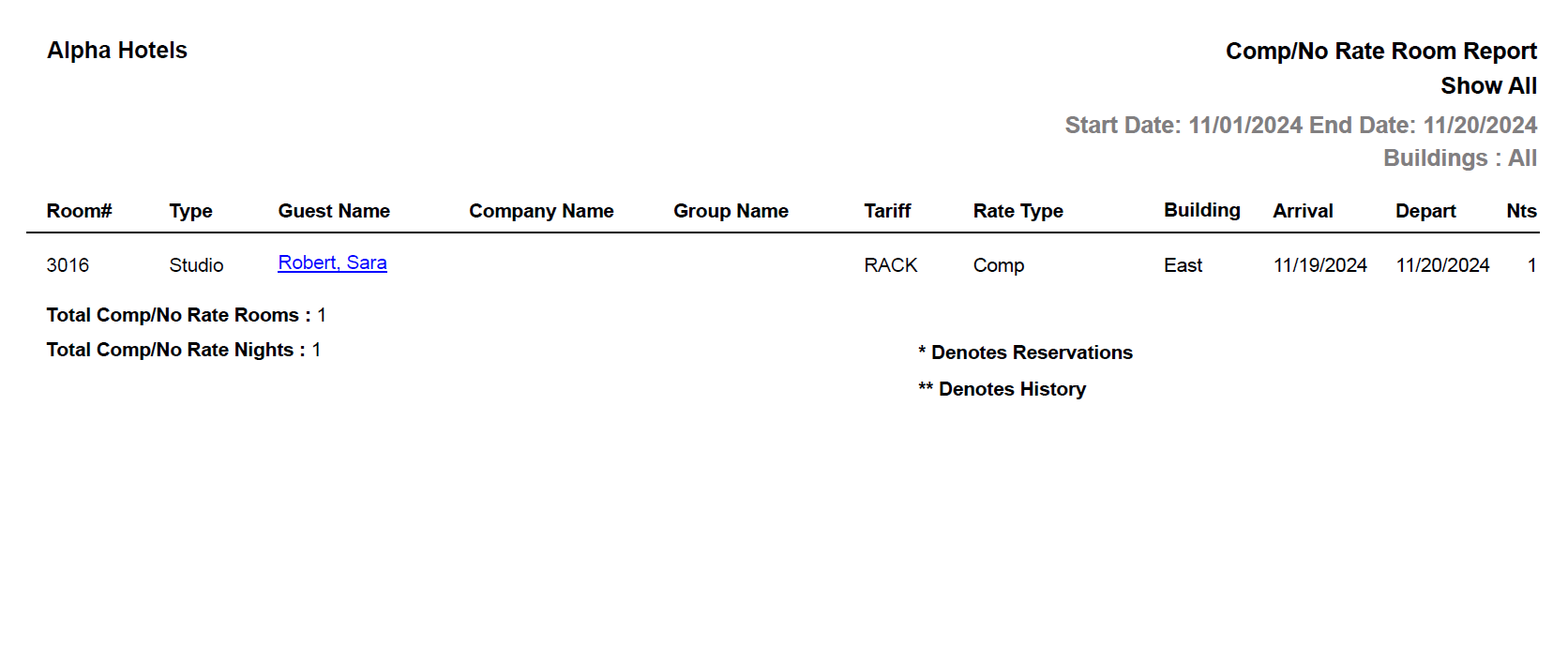
Report Fields
|
Field |
Description |
|---|---|
|
Room # |
The room number of the guest. |
|
Type |
The room type to which the room number belongs. |
|
Guest Name |
The first name and the last name of the guest will appear as a hyperlink and clicking it will navigate the user to the guest record. |
|
Company Name |
The name of the company to which the guest belongs. |
|
Group Name |
In case of group reservations, the booking name of the group is displayed here. |
|
Tariff |
The name of the tariff associated with the reservation. |
|
Rate Type |
The rate of the room type selected for the reservation. |
|
Arrival |
The date of arrival of the guest. |
|
Depart |
The date of departure of the guest. |
|
Nts |
The number of nights for which the guest will stay in the property. |
|
Clerk |
User ID of the clerk who assigned the comp rooms. |
|
COMP applied - reason |
Reason for assigning the comp room to the guest. |